
The project is heavily inspired by the Hak5 WiFi Pineapple and community projects like the WiFi Mangoapple. It does not currently have the same functionality as a WiFi Pineapple, nor am I trying to make an exact clone. I mostly liked the idea of having a dedicated little box for wireless testing that I could control entirely from my phone.
So I built my own version.
PiApple runs on Raspberry Pi OS Lite and creates its own Wi-Fi network. I connect my phone to it, open the local HTTPS interface and can do pretty much everything from there.
No display, keyboard or laptop required.
The app
The interface is built with SvelteKit and designed mobile-first.
It is divided into Home, Survey, Drive, Targets, Audit and Settings.
Home is mostly an overview of what the Pi is doing. It shows the current Internet connection, connected clients, wireless adapters, temperature and throttle state, along with recent audit jobs.
The rest of the interface is where things get more interesting.
Survey
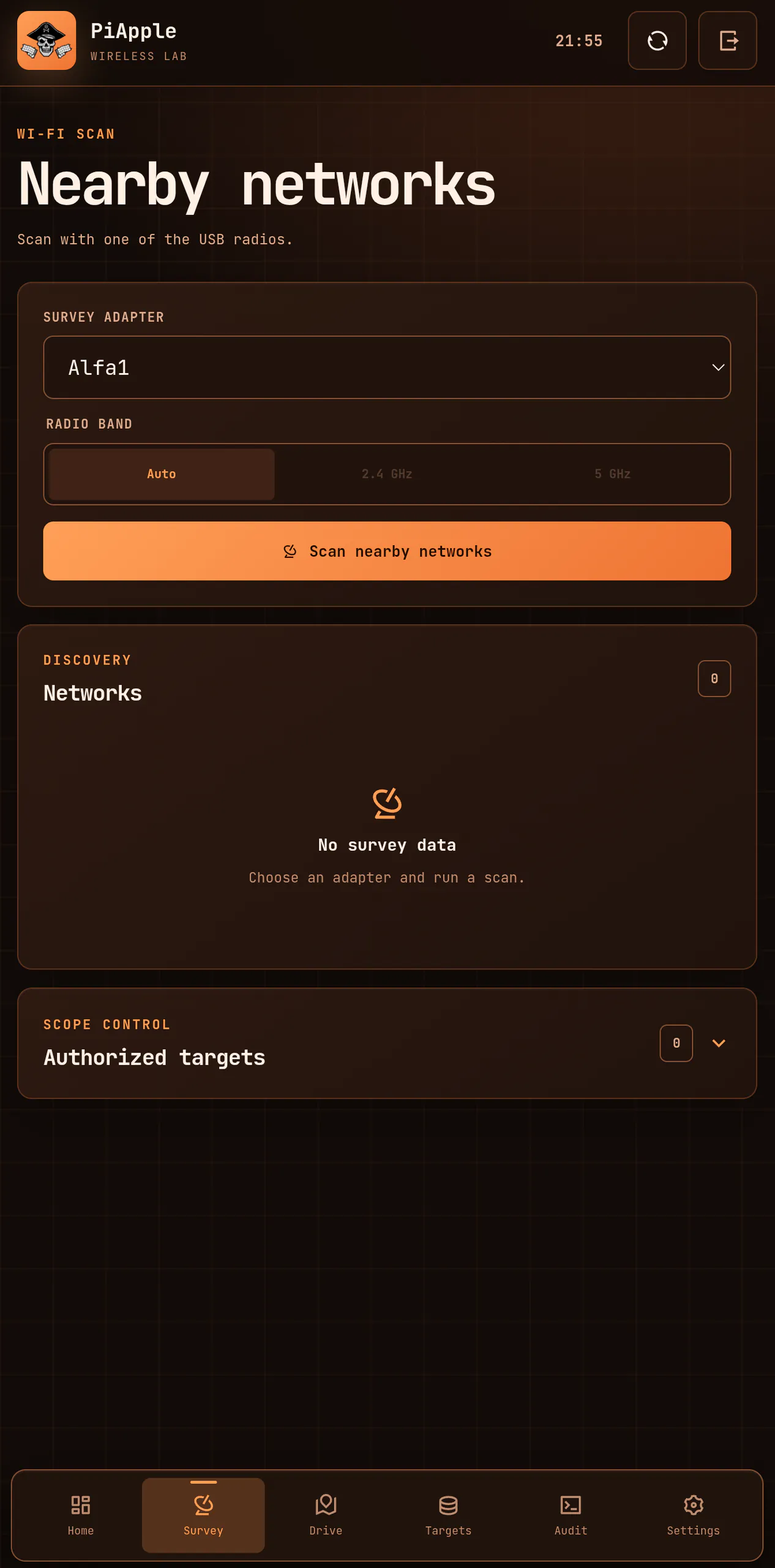
Survey is the basic Wi-Fi scanner.
I select one of the connected USB Wi-Fi adapters, choose which bands I want to scan and PiApple finds the networks around me.
For each network it collects things like the SSID, BSSID, signal strength, channel, security, WPS support and vendor information.
Every observation is saved locally, so PiApple builds up a history instead of just showing the result of the latest scan.
If I own a network or have permission to test it, I can add its BSSID to Scope. Only scoped networks can be used for active audits.
Drive
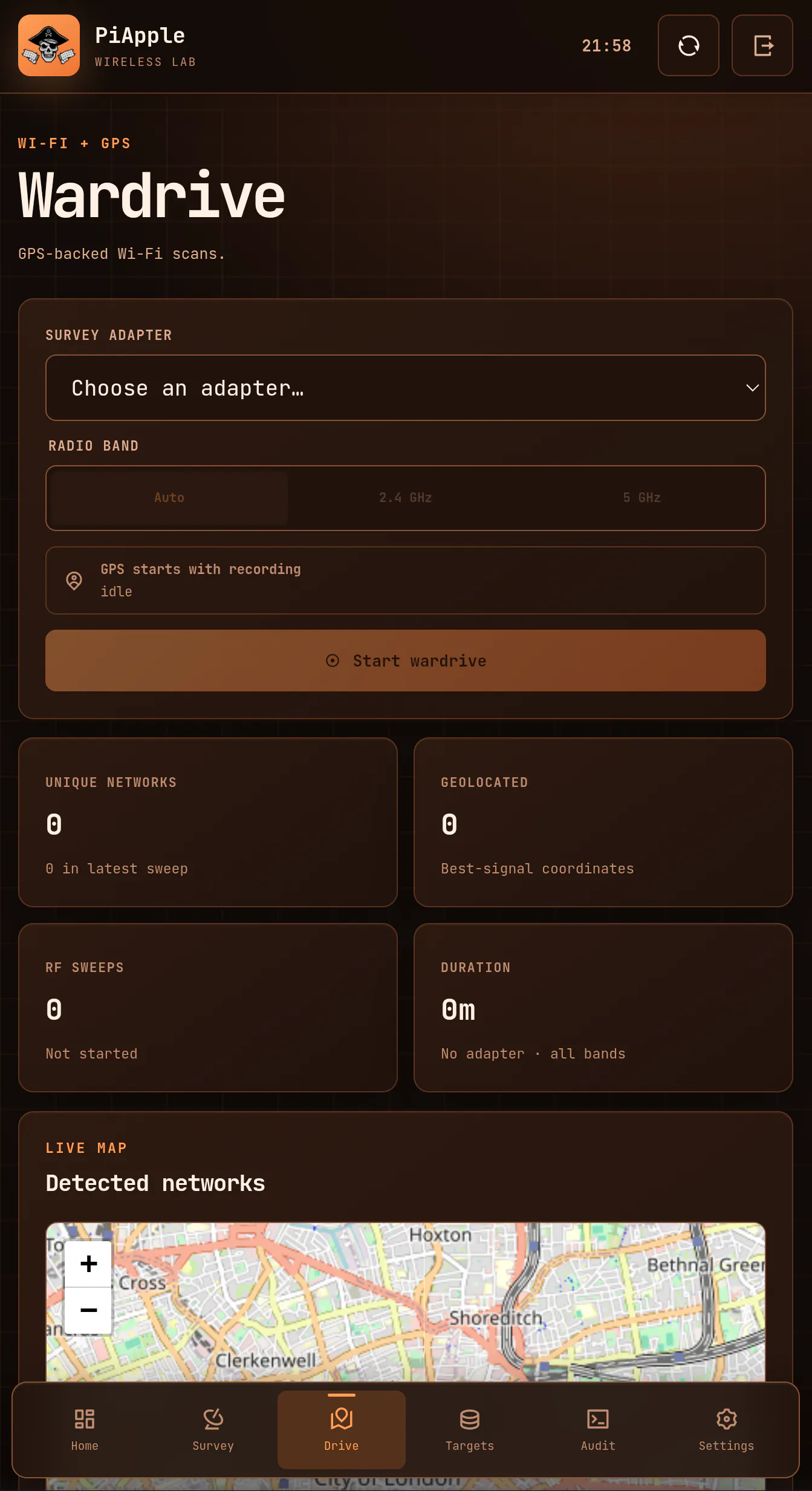
Drive is the wardriving part of PiApple.
When I start a drive, one of the wireless adapters continuously scans while my phone provides GPS data through the browser.
Every observation is stored together with its location, signal strength, channel, security and timestamp.
The results are displayed on a map built with Leaflet, currently using OpenStreetMap for the background tiles.
I can open old sessions later and export them as GeoJSON or CSV.
The nice part is that I do not need a separate GPS module. My phone already has a perfectly good GPS receiver, so PiApple just uses that.
Targets
Targets is basically the collected history of everything PiApple has seen.
Instead of keeping surveys, wardrives and audits completely separate, PiApple joins everything using the BSSID.
If I discover an access point during a survey and later drive past it, both observations belong to the same target.
Opening a target shows where and when it has been seen, its strongest recorded signal, security information, previous audit jobs, results and any associated capture files.
It gives me one place to see everything PiApple knows about a particular access point.
Audit
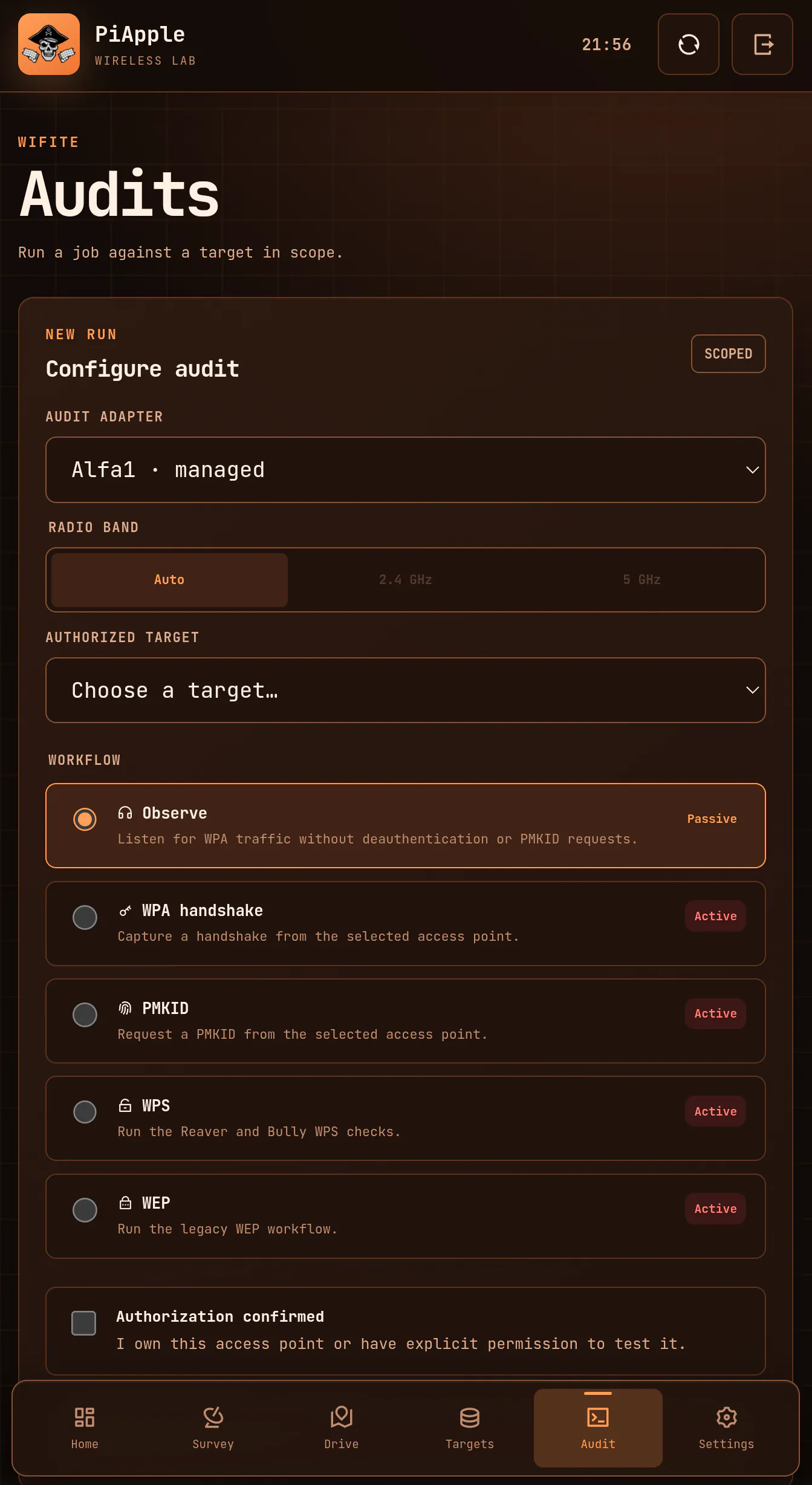
Audit is the active wireless testing side.
PiApple currently has workflows for:
WPA handshake capture
PMKID capture
WPS assessment
WEP assessment
WPA observation
I am not reinventing all of the wireless tooling underneath this.
A lot of the actual work is handled by existing projects, particularly Wifite and Aircrack-ng, along with Reaver, Bully, hcxdumptool and hcxtools.
PiApple puts an interface around them and handles things like radios, targets, jobs, logs and captures.
Networks that I want to actively test are first added to Scope. Audit jobs are then locked to the selected BSSID, which keeps the workflow focused on the network I actually intended to test.
The radios
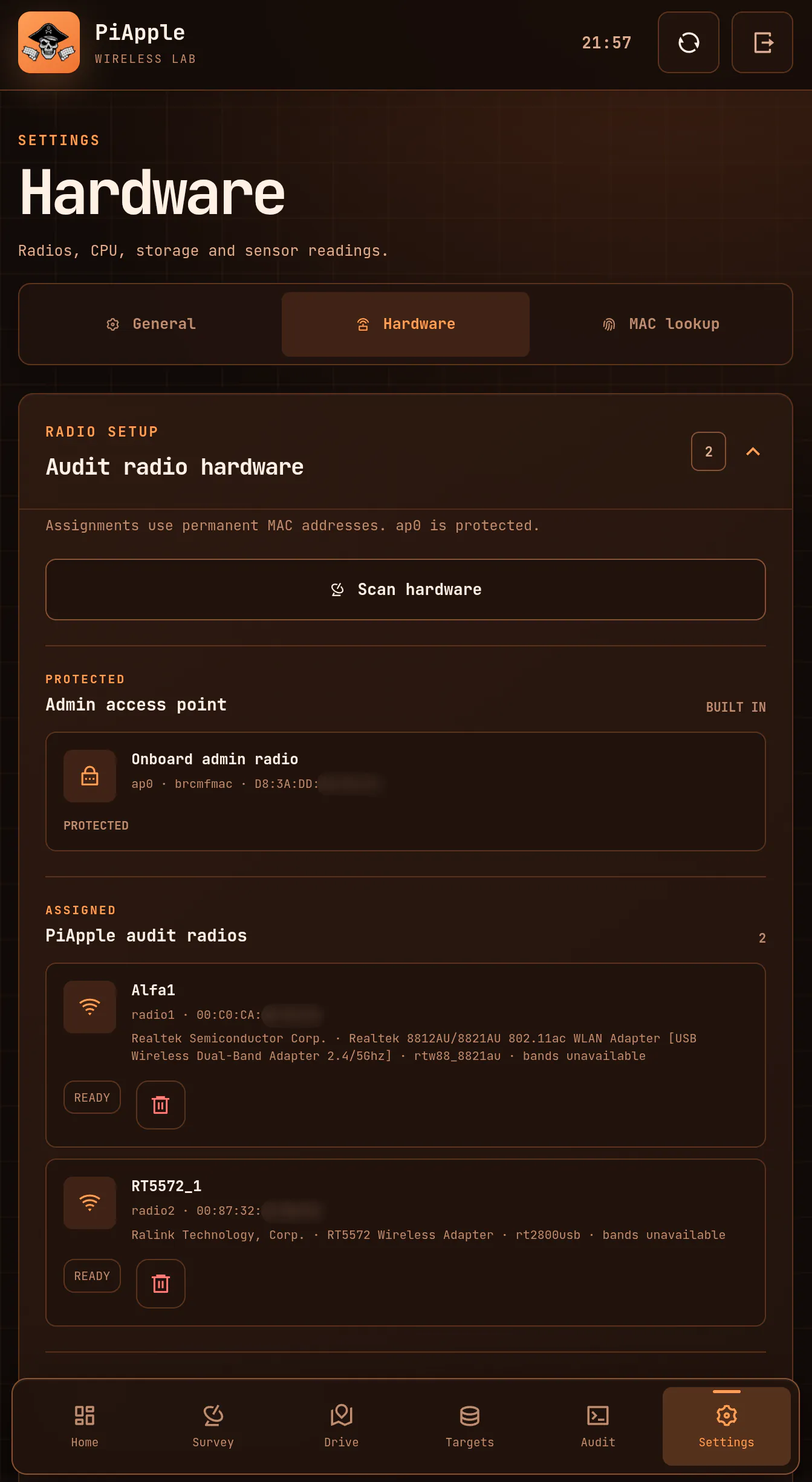
The Raspberry Pi's onboard Wi-Fi is dedicated to the administration network.
This means the Pi always provides its own Wi-Fi network that I can connect to from my phone, even if there are no USB Wi-Fi adapters connected at all.
I specifically wanted the administration side to be independent from the adapters used for everything else. A USB adapter can disappear, change modes or be reassigned without taking the PiApple interface down with it.
The USB adapters are then free to handle scanning, wardriving, monitor mode, audits or a Wi-Fi Internet connection.
PiApple discovers the available wireless hardware and lets me assign adapters through Settings. I did not want the application tied to a bunch of hard-coded MAC addresses or a specific set of adapters.
With multiple USB adapters connected, one can also be used for an Internet uplink while another handles the wireless work.
Internet is optional
PiApple does not need an Internet connection for most of what it does.
Surveys, audits, captures, GPS, wardrives, target history and vendor lookups all work locally.
If I do want Internet access, I can use Ethernet, USB tethering from a phone or dedicate one of the USB Wi-Fi adapters to an uplink.
PiApple then forwards the connection to devices on its administration network.
The main thing that currently needs Internet access is the OpenStreetMap background tiles. The actual wardrive data and coordinates are still local.
Everything stays local
This was one of the things I wanted from the beginning.
PiApple does not have a cloud backend.
Targets, observations, wardrives, GPS data, jobs and uplink configuration are stored in a local NeDB database. Captures and logs are stored directly on the Pi.
MAC vendor lookups are local as well. PiApple bundles the public IEEE assignment data instead of sending every observed MAC address to some external lookup API.
The collected data can be cleared per target, or everything captured by PiApple can be wiped from Settings.
Taking it with me
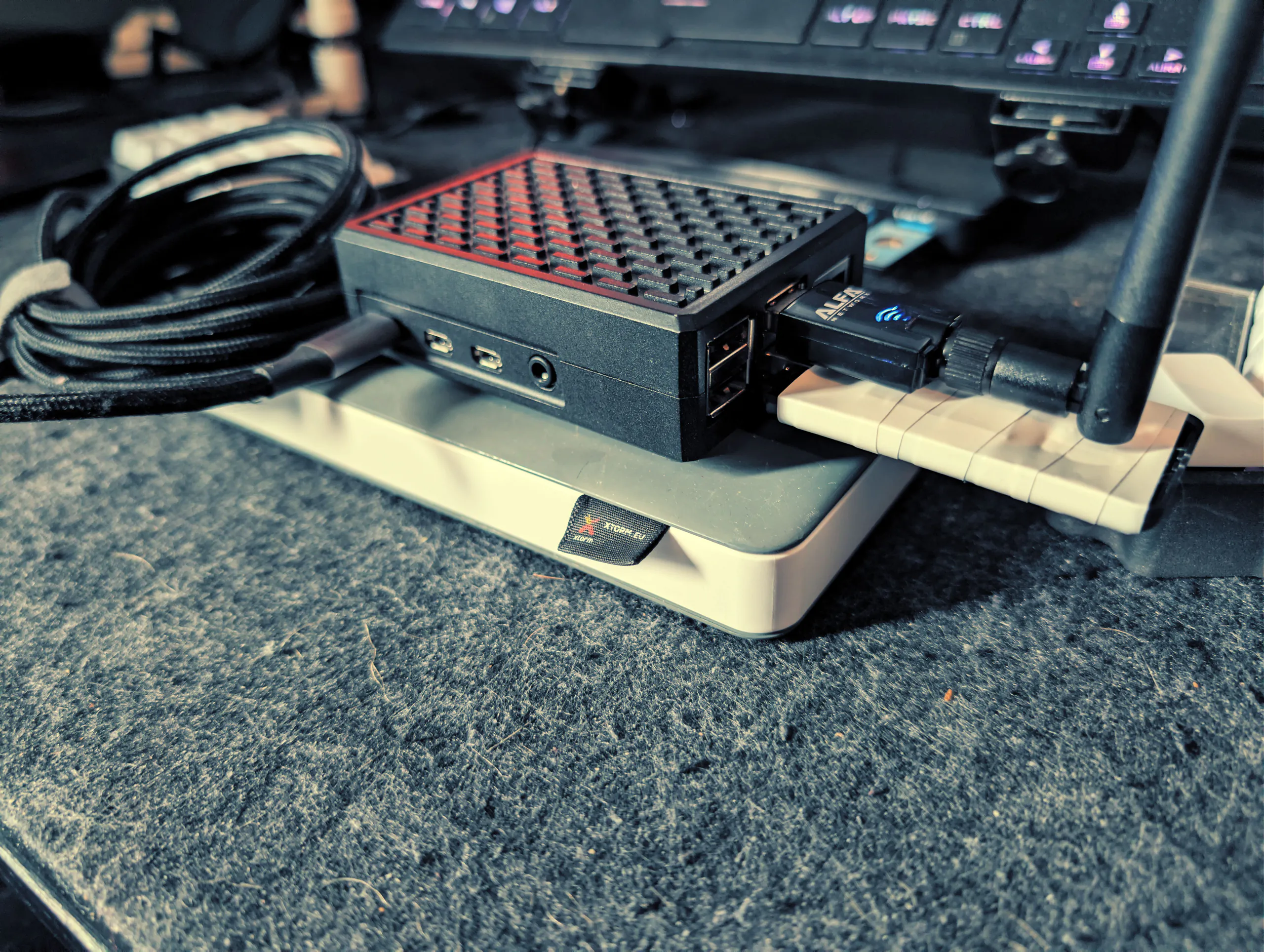
For portable use I currently power the whole thing from a fairly large 27,000 mAh power bank.
There is nothing particularly special about that setup. It is just what I have and it gives me plenty of runtime.
The options for powering something like this are pretty much endless. A smaller USB power bank would make the setup more compact, while dedicated Raspberry Pi battery or UPS solutions could make it into a much more integrated device.
The bigger concern when running several USB Wi-Fi adapters is making sure they actually get enough power. Multiple radios can put a decent load on the Raspberry Pi, so an externally powered USB hub is a much better option once the setup starts growing.
At the moment my field setup is simply the Pi, USB Wi-Fi adapters, power bank and my phone.
Current status
PiApple currently lives in my private GitLab.
So far I have only tested it properly on a Raspberry Pi 4 Model B with an ALFA Network AWUS036ACS AC600 and a generic GE-LW04-5572 USB Wi-Fi adapter.
The hardware handling is designed to support other compatible adapters, but i have only tested it on the hardware above.
I might make the project public in the future.
Before doing that, I want to test more hardware and generally make sure installing it on a Pi other than mine does not reveal a pile of shit that i haven't seen because it "works on my machine".
For now, it is still my own little wireless lab.